

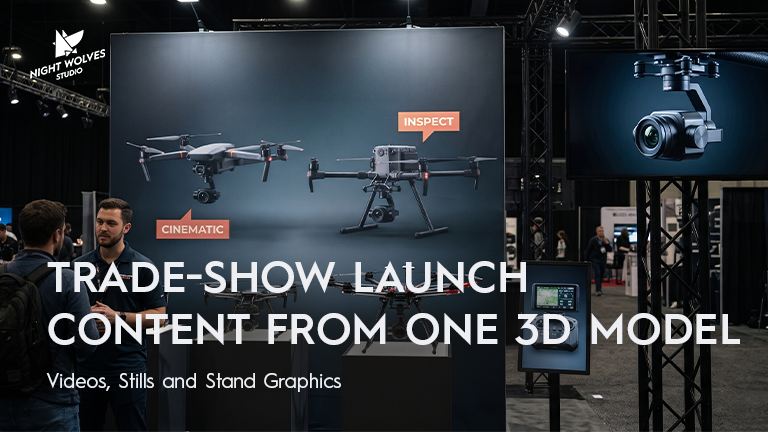
Trade-Show Launch Content From One 3D Model: Videos, Stills and Stand Graphics
A product launch at a trade show rarely needs just one video.
There may be a film playing on a stand screen, vertical reels for social media, product stills for the press, images for a printed backdrop and additional assets for the website after the event.
Producing each asset independently can lead to duplicated work, inconsistent visuals and last-minute changes.
A well-planned CGI production can create multiple deliverables from one 3D product model, provided the different formats are considered before animation begins.
The important part is not simply creating a good-looking video. It is making sure the content works on the actual screen, fits the intended format and can be reused after the show.
1. Two Trade-Show Content Problems to Solve Early
The stand screen may not use a standard video format
A large LED screen can have an unusual aspect ratio or a resolution that differs from standard widescreen video.
A film produced for a conventional 16:9 screen may not fit correctly. Depending on the display and playback setup, it may need to be cropped, resized or adapted.
This matters when the animation contains fine product details, small text or thin components such as fishing line.
The solution is straightforward: get the exact screen specifications before the animation is designed.
Ask the stand builder or AV supplier for the display’s native pixel dimensions, orientation, playback requirements and final delivery deadline.
Printed graphics need different preparation from video
A backdrop or large-format display requires an output prepared for its physical dimensions and intended viewing distance.
Simply enlarging a small image can produce soft or visibly degraded results. The required image dimensions and resolution should therefore be agreed with the printer before the artwork is finalised.
CGI offers flexibility because the scene can be rendered at the required output dimensions, subject to the rendering setup and available production resources.
However, the correct resolution depends on the final print size, viewing distance and printer’s specifications.
The common mistake is producing content first and discovering the technical requirements afterwards.
2. Design for People Who Are Walking Past
Trade-show visitors rarely watch every video from beginning to end.
They may see only a few seconds while walking through a crowded exhibition hall. Stand screens may also operate without sound.
The content needs to communicate quickly.
Make the product immediately recognisable
The opening frames should make it clear what product or product range is being presented.
Avoid making viewers wait through a long introduction before they see the product.
Show one feature at a time
A product animation can reveal construction, demonstrate movement or highlight a feature that is difficult to communicate through a static image.
Give each important feature enough visual space to register.
Make the film work without sound
Do not depend on voiceover or music to communicate the main message.
If text is necessary, keep it concise and ensure that it remains legible at the actual viewing distance.
Plan the loop
If the film will play repeatedly, consider how it starts and ends.
A carefully designed loop can make continuous playback feel natural rather than interrupted.
For a stand screen, clarity at a glance is often more valuable than a complicated sequence that only makes sense when watched from the beginning.
3. One 3D Model, Multiple Deliverables
A 3D model can become the foundation for a larger set of launch assets.
The model may be shared across different outputs, while the camera framing, animation, composition and technical specifications are adapted to each format.
| Deliverable | What to plan |
| Stand-screen film | Exact screen dimensions, orientation and playback requirements |
| Social media reels | Vertical framing, concise storytelling and platform specifications |
| Website and YouTube video | Appropriate widescreen composition and delivery settings |
| Printed backdrop | Final print dimensions, image resolution and layout |
| Product stills | Required angles, backgrounds, materials and image dimensions |
| Press kit | Approved product imagery and agreed delivery formats |
| Post-show advertising | Additional edits, calls to action and campaign formats |
| Product catalogue and listings | Consistent product imagery and channel-specific requirements |
These outputs do not necessarily require separate models or entirely separate productions.
However, they may require different shots, camera movements, compositions, edits and renders.
A vertical reel, for example, may need the product repositioned within the frame rather than simply cropped from the widescreen film.
Planning these requirements at the start helps the studio determine what can be reused and what needs additional production.
4. Work Backwards From the Trade-Show Date
The show date is not the final deadline for every asset.
Printed graphics may be required well in advance. The AV supplier may need time to test the video, and the marketing team may need approved content before the event opens.
Start by identifying the deadlines that cannot move.
Establish the technical requirements
Collect the display specifications, print dimensions, delivery formats and deadlines from the relevant suppliers.
Confirm the product design
Identify which CAD revision represents the product that will appear at the show.
If the design is still changing, agree on how revisions will be communicated and approved.
Plan the review stages
Decide who will review the work, who has final approval and how many review rounds are included in the production schedule.
A clear approval process reduces the risk of major changes appearing just before delivery.
Allow time for technical checks
Where possible, test the final film using the actual playback system or an equivalent setup before the show.
A technically correct file can still cause problems if the display system handles it differently than expected.
Prepare the assets that need to arrive first
If the backdrop deadline is earlier than the show, that artwork may need to be completed before the final video.
Prioritise deliverables according to their real deadlines rather than treating the entire project as a single delivery date.
5. Make the Most of the Content After the Show
A trade-show animation can continue to support marketing after the exhibition ends.
Depending on the original scope, the production may also supply assets for:
- Product launch campaigns.
- Website product pages.
- Social media posts and paid advertising.
- Retailer and distributor presentations.
- Sales presentations.
- Press and media kits.
- Product catalogues.
The most efficient time to plan these versions is before production begins.
For example, if the launch film will also be used in a vertical social campaign, that requirement can influence how the product is framed and animated from the beginning.
If these additional deliverables are introduced after the main film is approved, new shots or revised compositions may be necessary.
Ask your studio to define the full set of required outputs before agreeing on the production scope.
Questions to Ask Your Stand Builder and Printer
Before commissioning the CGI work, gather the following information.
From the stand builder or AV supplier
- What are the display’s exact pixel dimensions?
- Is the screen horizontal, vertical or an unusual aspect ratio?
- What are the playback system’s supported file formats and codecs?
- Is a specific frame rate required?
- Are there restrictions on file size or playback duration?
- When must the final film be delivered?
- Can the film be tested on the actual screen before the event?
From the printer
- What are the final artwork dimensions?
- What image resolution is recommended for the intended print size and viewing distance?
- Are there bleed, crop or safe-area requirements?
- What file format and colour specifications are required?
- When is the final artwork deadline?
These answers give the production team the information needed to plan the animation, stills and printed visuals properly.
What Your CGI Studio Needs From You
To scope the project, prepare:
- The show date and all artwork deadlines.
- The stand-screen specifications.
- The printer’s requirements.
- CAD files or an existing 3D model.
- References for the product’s materials and finishes.
- The key product features to communicate.
- A list of every required deliverable.
- The names of the people responsible for review and final approval.
The studio can then assess which outputs can share the same production assets and which need additional work.
From Our Work: CGI Launch Content for Profishiency
For Profishiency, Night Wolves created a 30-second CGI launch reel for the Solaro and Pinefall combos, shown at ICAST.
The reel was delivered in a vertical 9:16 format, alongside a 16:9 version for the web.
This project illustrates why output formats should be considered as part of the original production plan rather than treated as an afterthought.
Frequently Asked Questions
Can one 3D model be used for a trade-show video and social media content?
Yes. A suitable 3D model can support multiple animations and output formats. The framing, camera movement, edit and technical specifications may need to be adapted for each destination.
What specifications does a CGI studio need for an LED stand screen?
The studio should receive the screen’s native pixel dimensions, orientation, playback requirements, accepted file formats and delivery deadline. The stand builder or AV supplier is usually the appropriate source for these details.
Can CGI product animations be used for printed trade-show backdrops?
CGI can be used to create still images for large-format graphics. The output must be prepared for the final print dimensions and the printer’s requirements.
When should trade-show product videos be commissioned?
Ideally, production should be planned far enough in advance to accommodate design confirmation, animation, reviews, final rendering and delivery. The schedule should work backwards from the earliest fixed deadline, which may be the printer’s artwork deadline rather than the event itself.
Can a trade-show CGI film be reused after the event?
Potentially, yes. A film or its underlying assets may be adapted for websites, social media, advertising and sales presentations. The required edits and deliverables should be agreed with the studio, including any licensing or usage considerations.
Planning a Trade-Show Launch?
If you have an upcoming exhibition, Night Wolves can help you assess how a 3D product model could support your stand film, social videos, still images and other launch content.
Send us your event date, product details and screen specifications. We’ll help you identify the deliverables that need to be planned from the start.
Discuss Your CGI Launch Project
Related reading: From CAD to Amazon: Creating Launch-Ready Product Images